
Device Anti-Theft: How Engineers Remotely Lock, Wipe and Brick a Stolen Device
31 October 2026 · 8 min read · akranIQ
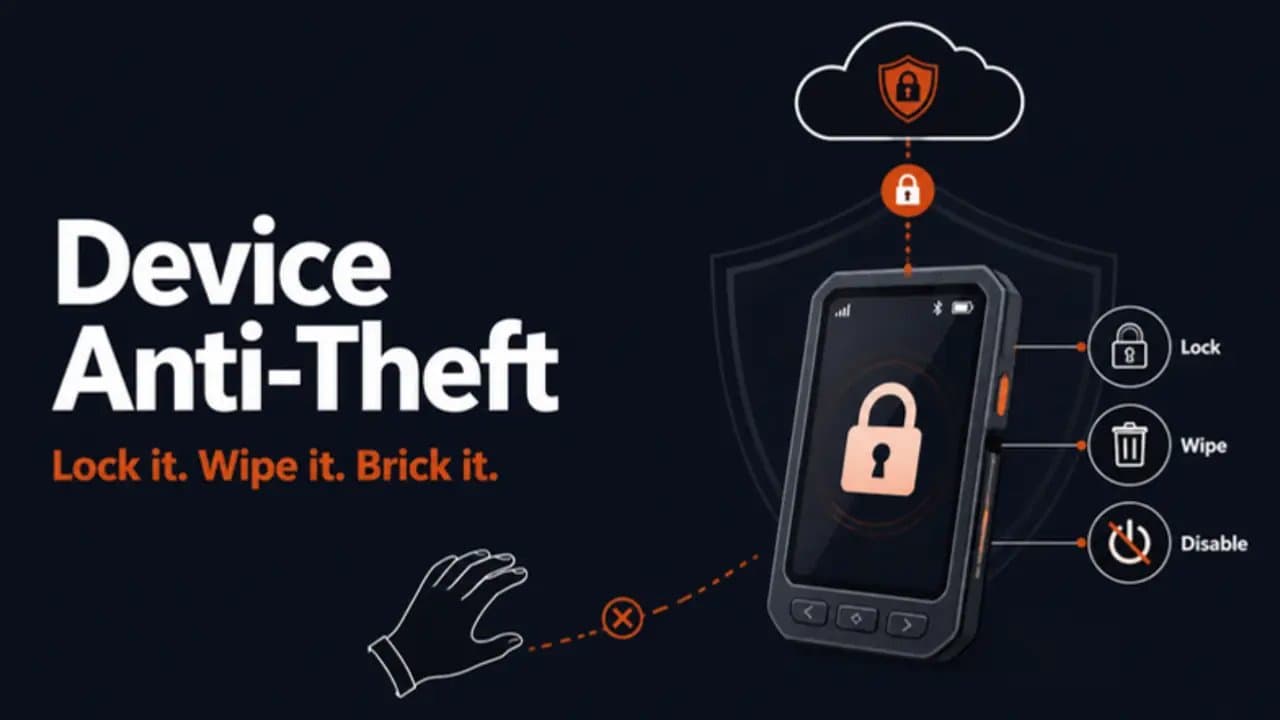
Make a stolen device worthless, and it stops being worth stealing
Thieves steal devices for two reasons: to resell the hardware or to get at what is inside it. A good anti-theft design removes both. The device stops working for anyone but its owner, and the data on it cannot be read, even if the thief has it on a workbench.
That is what engineers mean when they talk about locking or "bricking" a stolen device. It is not one feature but several layers working together: a device identity the thief cannot copy, a lock the owner can trigger from anywhere, data that is useless without keys the device protects, and firmware the thief cannot replace. This guide explains each layer, how they combine, and the design decisions that separate a robust system from one that is easy to bypass or, worse, easy to abuse.
What happens when a protected device is reported stolen
- The owner reports it. From an app, a web portal or a fleet dashboard, the owner marks the device as lost or stolen.
- The cloud verifies the request. The platform checks that the person has authority over that device, and may require a second confirmation.
- A signed lock command is queued. The server creates a command signed with a key that only the platform holds, addressed to that one device.
- The device receives and verifies it. The next time it connects, it checks the signature. Only a genuine command from its own platform is accepted.
- The device locks itself. It stops normal operation, shows an "owned and locked" message if it has a screen, and records the locked state in protected storage so a reboot does not clear it.
- Data is protected or erased. Depending on policy, the device either keeps data encrypted and inaccessible, or destroys the encryption keys so the data can never be read again.
- Its identity is revoked. The cloud marks the device's credentials as revoked, so even a tampered unit cannot connect to the service.
- It reports location, if it can. If the device has GNSS, cellular or Wi-Fi positioning, it can report where it is to help recovery.
The owner can reverse steps 5 and 7 when the device is recovered. Step 6, if keys were destroyed, is permanent by design.
The building blocks of device anti-theft
A device identity the thief cannot copy
Every device needs a unique cryptographic identity, usually a private key generated inside a secure element, TPM or the chip's secure enclave, where it cannot be read out. The cloud trusts the device because it proves it holds that key. Revoke the matching certificate and the device is cut off from every service, whatever the thief does to it.
Remote lock
A remote lock puts the device into a restricted state until the owner unlocks it with a signed token. A well-designed lock:
- survives reboots, battery removal and factory resets, because the locked state lives in protected storage, not ordinary flash
- accepts only commands signed by the platform, so a thief cannot send a fake "unlock"
- keeps just enough running to receive an unlock and report location
Remote wipe and crypto-erase
Wiping every byte of storage takes time and can be interrupted. Most modern devices instead encrypt all data at rest, with the key held in the secure element. Destroying that key (crypto-erase) makes the data unreadable instantly, even if someone later removes the memory chip.
The kill switch: soft brick versus hard brick
A remote kill switch disables the device's useful functions. There are two approaches:
- Soft brick (recommended): the device stays electrically intact but refuses to operate until a signed unlock arrives. It is reversible, so a mistaken report or a recovered device costs nothing.
- Hard brick: the device permanently destroys keys or blows one-time fuses so it can never be used again. It is irreversible and should be reserved for cases where the data or the device itself is dangerous in the wrong hands.
In practice, most products combine a soft-brick lock with crypto-erase of sensitive data: the hardware can come back to life for its real owner, but the data is gone for good.
Activation lock and factory reset protection
A thief's first move is usually a factory reset. Activation lock, called factory reset protection (FRP) on Android, binds the device to its owner's account. After a reset, it will not activate until the original account signs in or the cloud releases it. This single feature is what makes many stolen phones nearly worthless on the resale market, and the same pattern works for any connected product.
Secure boot and anti-rollback
None of this works if the thief can simply flash different firmware. Secure boot ensures the device only runs firmware signed by the manufacturer, and anti-rollback stops anyone installing an older, signed version that lacked the lock feature or had a known weakness. Both are also the foundation of safe updates; our guide to OTA and FOTA updates explains how they fit into the update chain.
Locked debug ports
Development boards have debug interfaces such as JTAG or SWD that can read memory directly. In production, these must be disabled or locked with readout protection, otherwise a thief with basic tools can copy firmware and data straight off the chip.
Tamper detection
Some devices sense physical attack: an enclosure switch that trips when the case is opened, a light sensor inside a sealed housing, or a protective mesh over the circuit. On tamper, the device can erase its keys in microseconds. Payment terminals have used this approach for years.
Offline protection: check-ins and leases
A thief may simply keep the device away from any network, so a lock command never arrives. The answer is a lease: the device must check in with the cloud every so often (for example every few days) to renew a signed token. If the lease expires, it locks itself. Other local triggers include leaving a geofence, a SIM card being swapped, or repeated failed unlock attempts.
Anti-theft across different kinds of devices
| Device | Typical protection | Watch out for |
|---|---|---|
| Phones, tablets, rugged handhelds | Activation lock, remote lock and wipe through device management (MDM) | Users disabling it; company devices needing admin release |
| EVs, e-scooters and swappable batteries | Motor controller and battery paired to each other; stolen packs refuse to discharge in unpaired vehicles | Never disable propulsion while moving; lock on next stop instead |
| Vehicles and fleet telematics | Remote immobiliser that prevents the next start; GNSS tracking | Safety first: block restart, never cut the engine at speed; check local regulations |
| Construction equipment, tools, generators | Lease-based locking, geofences, location reporting | Sites with poor coverage need long lease periods |
| Payment and point-of-sale terminals | Tamper detection with instant key erasure | Accidental drops can trip sensors; design thresholds carefully |
| Medical and diagnostic devices | Encrypted patient data, remote wipe, revocable identity | A lock must never interfere with a device in clinical use |
| Smart meters and field sensors | Tamper alerts, identity revocation, encrypted readings | Theft is often for parts; identity revocation stops cloned units reporting fake data |
Design decisions that make or break anti-theft
Decide what "stolen" means
An owner report is the obvious trigger, but you may also want automatic triggers: a missed check-in, leaving a geofence, a new SIM, or a tamper event. Each trigger needs a clear policy: alert only, lock, or lock and wipe.
Treat the kill switch as an attack surface
The ability to lock or brick every device is powerful, which makes it a target. If an attacker compromises your platform, they could lock your entire fleet. Protect it accordingly:
- keep the command-signing key in a hardware security module, never on an application server
- scope every command to a single device, so one signature cannot lock the fleet
- require stronger authentication, and for bulk actions a second approver
- rate-limit lock commands and alert on unusual volumes
- log every lock, unlock and wipe for audit
Prefer reversible actions
False reports happen: a device left in a car, a dispute between owners, a mistyped serial number. Default to a reversible lock, and keep irreversible steps (key destruction, fuses) for the data, not the hardware, unless there is a strong reason.
Respect safety and privacy
Locking must never create a safety risk: no stopping a moving vehicle, no disabling medical equipment mid-use. Location tracking collects personal data, so tell users what is collected, get consent where required, and keep it only as long as needed. Rules on immobilisers and tracking differ by country, so check them for each market.
Accept what anti-theft cannot do
A determined attacker with a lab can eventually defeat most consumer-grade protection. The goal is not perfection but economics: make a stolen device worth far less than the effort to break it, and make sure the data is safe either way.
Device anti-theft: frequently asked questions
How do you brick a stolen device? The owner reports it stolen, the cloud sends a signed lock command, and the device refuses to operate until a signed unlock arrives. For stronger protection, the device destroys its encryption keys so stored data can never be read.
What is a remote kill switch? A remote kill switch is a feature that lets an authorised owner or operator disable a device over the network, either reversibly (a lock) or permanently (destroying keys or blowing fuses).
What is the difference between remote lock and remote wipe? Remote lock stops the device from being used but keeps its data, so it can be restored to the owner. Remote wipe erases the data, usually by destroying the encryption key, and cannot be undone.
Can a factory reset bypass anti-theft protection? Not on a well-designed device. Activation lock or factory reset protection binds the device to its owner's account, and the locked state is stored where a reset cannot clear it.
What if the stolen device never connects to the internet? Use a lease: the device must check in regularly to renew a signed token, and locks itself when the lease expires. Local triggers such as leaving a geofence or a SIM change can also lock it.
Does device anti-theft protect the data as well as the hardware? Yes, if data is encrypted at rest with keys held in a secure element. Without the keys, the data is unreadable, even if the memory chip is removed.
Building anti-theft into your device?
akranIQ engineers the firmware, secure boot, device identity, remote lock and wipe, and the cloud controls behind them, for consumer, industrial, mobility and medical products. If you want stolen devices to be worthless to thieves and safe for your customers, talk to our embedded team or see our embedded software and IoT development services.
Want to add AI or IoT to a device you already make? See how our AIoT and edge AI development team in India works.